Mise

Now Available on iPhone and Android

Welcome to Meal
Planning Bliss

Swipe through recipes. Build your week. Get a grocery list. That's it. Mise makes one decision for you: what's for dinner, solved on Sunday, done for the week.

Discover

Swipe to Discover

You don't need more recipes. You need to pick. Swipe yes or no through 1,500+ options. Your plan builds as you go.

Plan

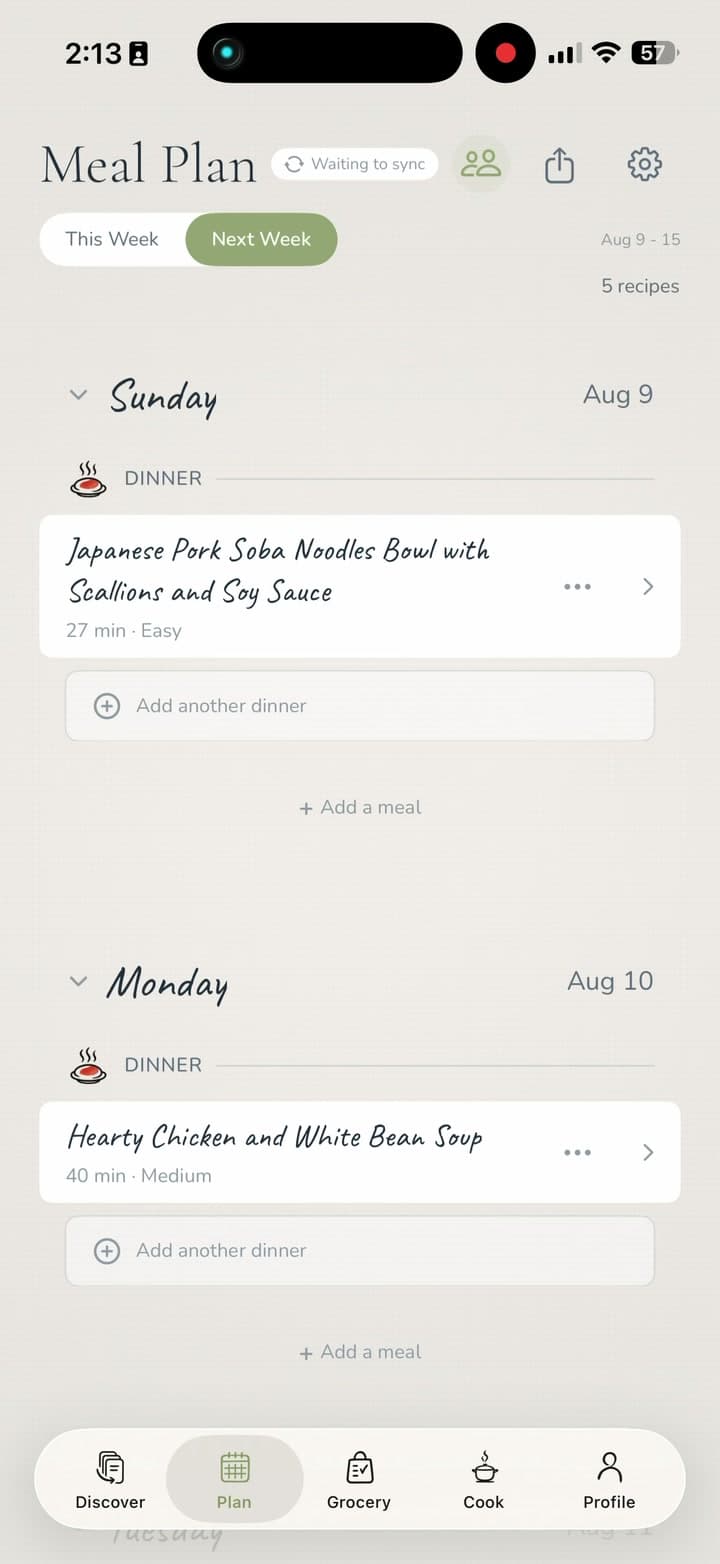
Plan Your Week

What you swiped becomes your week. See all five nights laid out. Swap anything in a tap. Done before your coffee gets cold.

Grocery

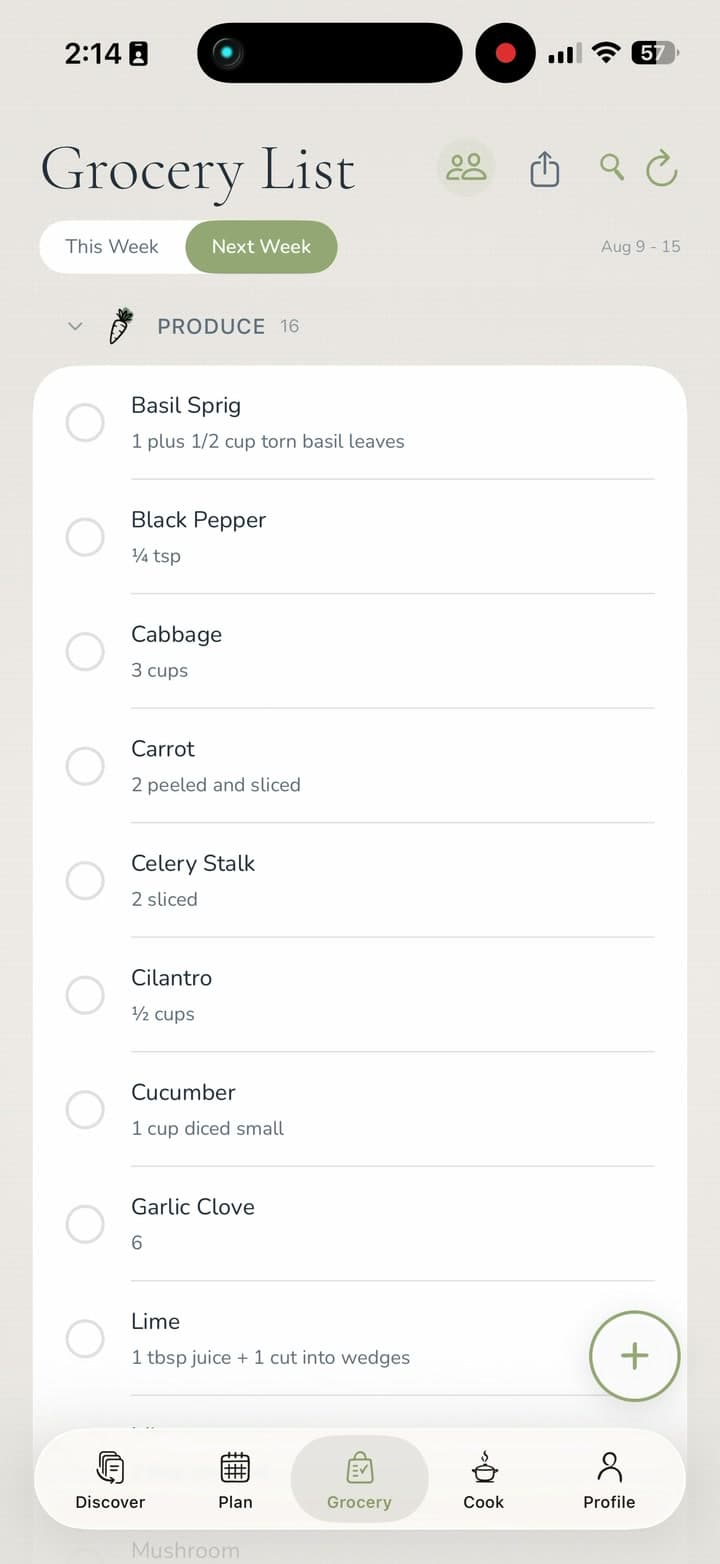
Grocery List, Done

Mise reads your meal plan and writes the list. Organized by section. Everything you need, nothing you don't.

Cook

Step-by-Step Cooking

Once your week is planned, the hard part is done. Step-by-step instructions and start-time reminders keep dinner on time.

How Mise Works

Three steps. One Sunday session. No more weeknight scrambles.

News & Features

Mise is live on Product Hunt

We launched Mise on Product Hunt to share our approach to meal planning with more home cooks, product builders, and people who are tired of asking what’s for dinner every night.

Published July 8, 2026Product launch

Mise brings recipe discovery, weekly planning, grocery lists, and cook mode into one flow: swipe through recipes, build a plan, shop from the generated list, and cook from the same place.

Product Hunt gives us a chance to hear from early users, home cooks, founders, and product people about what works, what feels confusing, and what would make weekly planning even easier.

View Mise on Product Hunt

From “What's for Dinner?” to Done.

One planning session on Sunday. The rest of the week takes care of itself.

1

Swipe

Open Mise. Swipe through recipes: yes, no, or skip. You're building your week as you go. Takes about 5 minutes.

2

Plan

What you liked becomes your weekly meal plan. See the full week at a glance. Move nights around if you want. One tap to confirm.

3

Shop

Your grocery list is ready. Every ingredient from every meal, organized by section. Screenshot it, share it, or check it off in the store.

4

Cook

Plan is done. Groceries are shopped. Time to cook and enjoy.

Made for Busy Home Cooks

Most meal planning apps add to your to-do list. Mise removes something from it. You decide once on Sunday, and dinner stops being a nightly negotiation.

“I used to spend 60 minutes every Sunday deciding what to cook. Now I just swipe for 5 minutes and my whole week is planned.”

- Beta Tester

1,500+Recipes
5 minPer Week
0Midweek Scrambles

Decide on Sunday

Not Tuesday when you're already tired.

Plan in One Session

No cross-referencing apps, notes, or screenshots.

Shop From One List

Organized, complete, and ready to go.

Common Questions

What is Mise?

Mise is a meal planning app for iPhone and Android. You swipe through recipes, build a weekly plan, and get an auto-generated grocery list. One session on Sunday, and dinner is handled for the week. The name comes from the French culinary term "mise en place" - everything in its place, before you start cooking.

What does mise en place mean?

Mise en place is a French kitchen term: everything prepared and in place before you start cooking. That's the idea behind the app. Handle the decisions before the week starts, so weeknights don't feel like improvisation.

How do I find new recipes with Mise?

You don't browse or search, you swipe. Set your dietary preferences once and Mise surfaces recipes that fit those filters. Swipe yes, no, or skip to quickly build a week that looks good to you.

Is Mise free to use?

Mise is free to download with a 7-day free trial. After the trial, monthly and annual plans are billed through the App Store, and you can manage or cancel anytime in your Apple account settings.

How does Mise's meal planning work?

Swipe through recipes, selecting between yes, no, or skip. What you pick populates your weekly plan automatically. Review it, swap anything out, and tap to generate your grocery list. Most people finish in under 8 minutes.

Does Mise create grocery lists?

Yes. Your grocery list generates automatically from your meal plan; every ingredient is organized by store section. No copying, no cross-referencing, no forgetting the one thing that was in some random email.

Can I use Mise for dietary preferences?

Yes. Set your dietary preferences during onboarding and Mise filters recipes accordingly. Vegetarian, vegan, gluten-free, and more. You'll only see what you'd actually cook.

Is Mise available on iPhone and Android?

Yes. Mise is live on the App Store for iPhone and on Google Play for Android.

Where can I download Mise?

Mise is live on the App Store for iPhone and on Google Play for Android. Use the download buttons on this page to open the correct store listing and start your 7-day free trial.

Download Mise for iPhone and Android

Mise is live for iPhone and Android. Download the app, start your 7-day free trial, and build your next weekly meal plan in minutes.

Now available for iPhone

Get Mise on the App Store

Swipe recipes, plan your week, generate groceries, and cook from one organized place.

Android now live

Get Mise on Google Play

Mise is live on Google Play for Android. Swipe recipes, plan your week, generate groceries, and cook from one organized place on Android.

You can also join the email list for product updates. No spam, just useful Mise updates.